Home Work UX Process About Contact
Wind River notification system
Back to All Work

WindRiver Suite: Unifying Notifications

DevSecOps | Notification Architecture | Systems Design

Context

Wind River's flagship product, Studio Developer, is a suite of DevSecOps applications. Each module had its own notifications — creating a fragmented experience. We were tasked with architecting a centralized notification framework to reduce alert fatigue and accelerate incident response.

My Roles

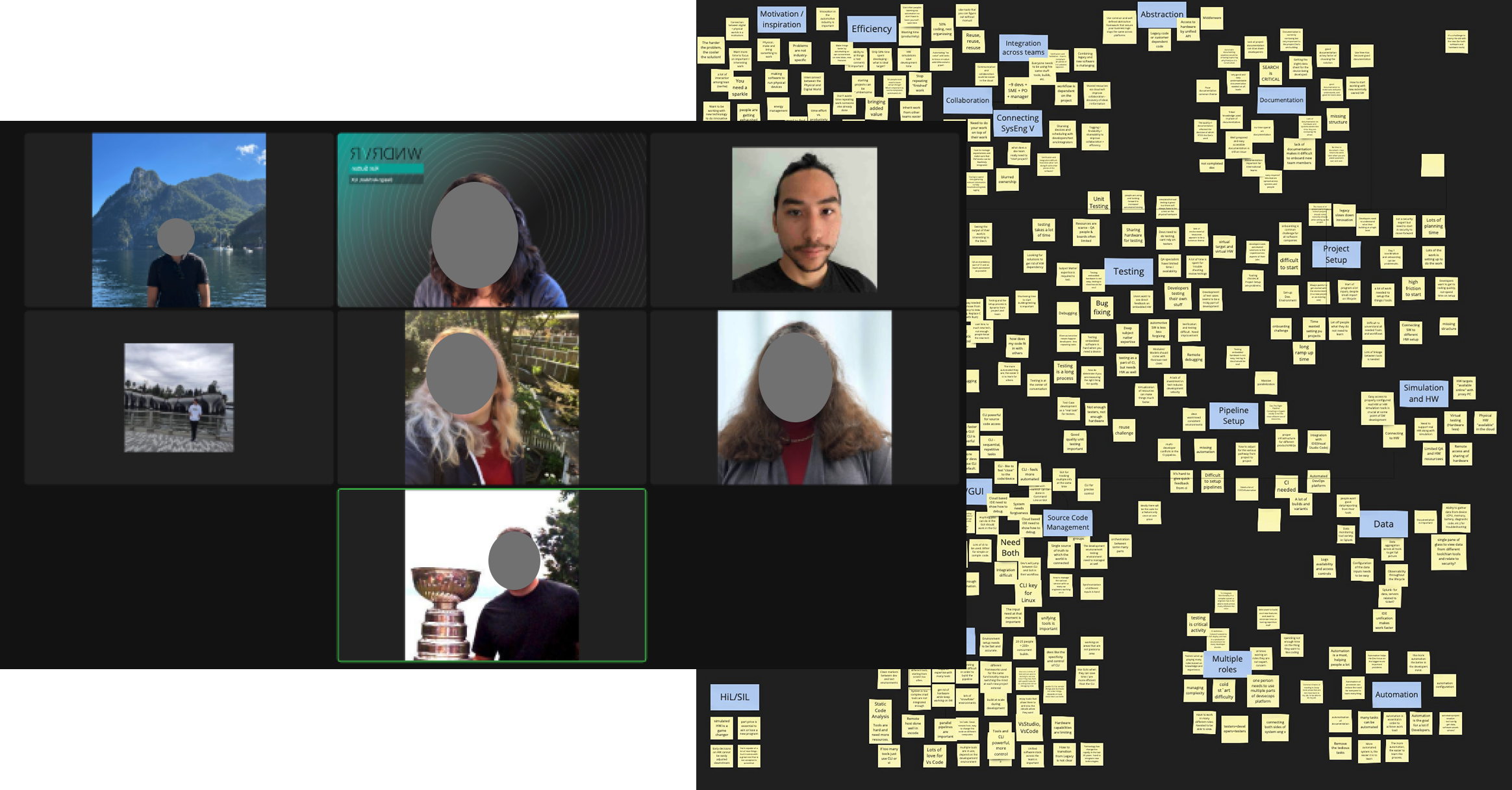
  • UX Architect: Facilitated stakeholder synthesis sessions with Product Leads to map event triggers, frequencies, and technical constraints.
  • Lead Designer: Designed the unified notification framework and prototyped the front-end experience across 5 different products in the Wind River Studio suite.
  • Researcher: Facilitated usability testing sessions.

Processes: stakeholder synthesis, taxonomy mapping, landscape analysis, wireframes, prototypes, user test facilitation
Goals & Constraints

  • Thousands of events firing daily across multiple products — users only care about a handful.
  • Each user role has different priorities (Release Engineer vs. Security Auditor).
  • Can we highlight signal and minimize noise without adding configuration overhead?
PM synthesis session

Execution

Unified notification system interface

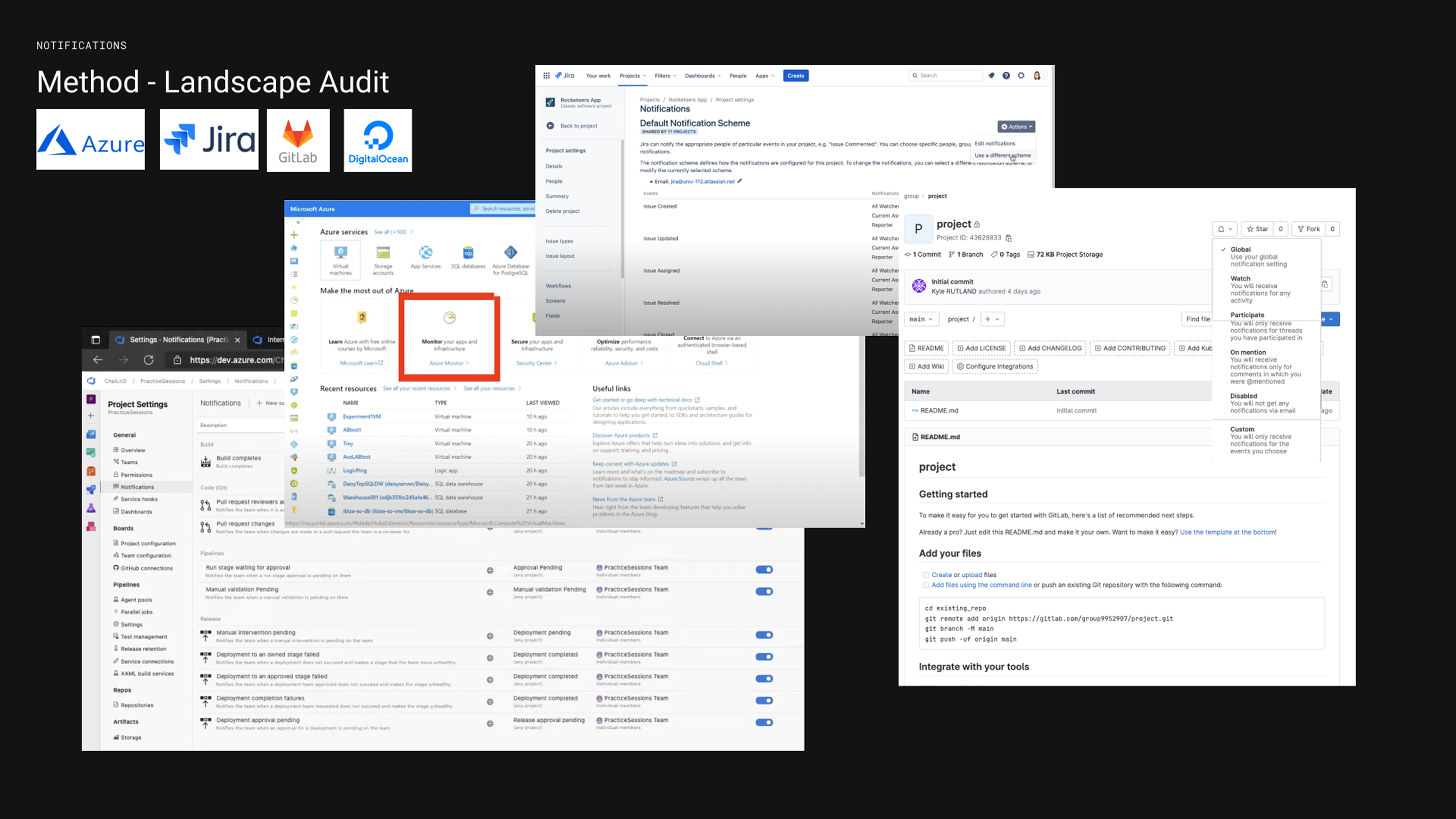
I conducted landscape analysis of industry leaders (Azure, Jira, GitLab) to decode notification schemas and priority logic. Then I architected a cascading subscription system based on the natural organizational hierarchy of the DevSecOps lifecycle — balancing broad oversight with granular control.
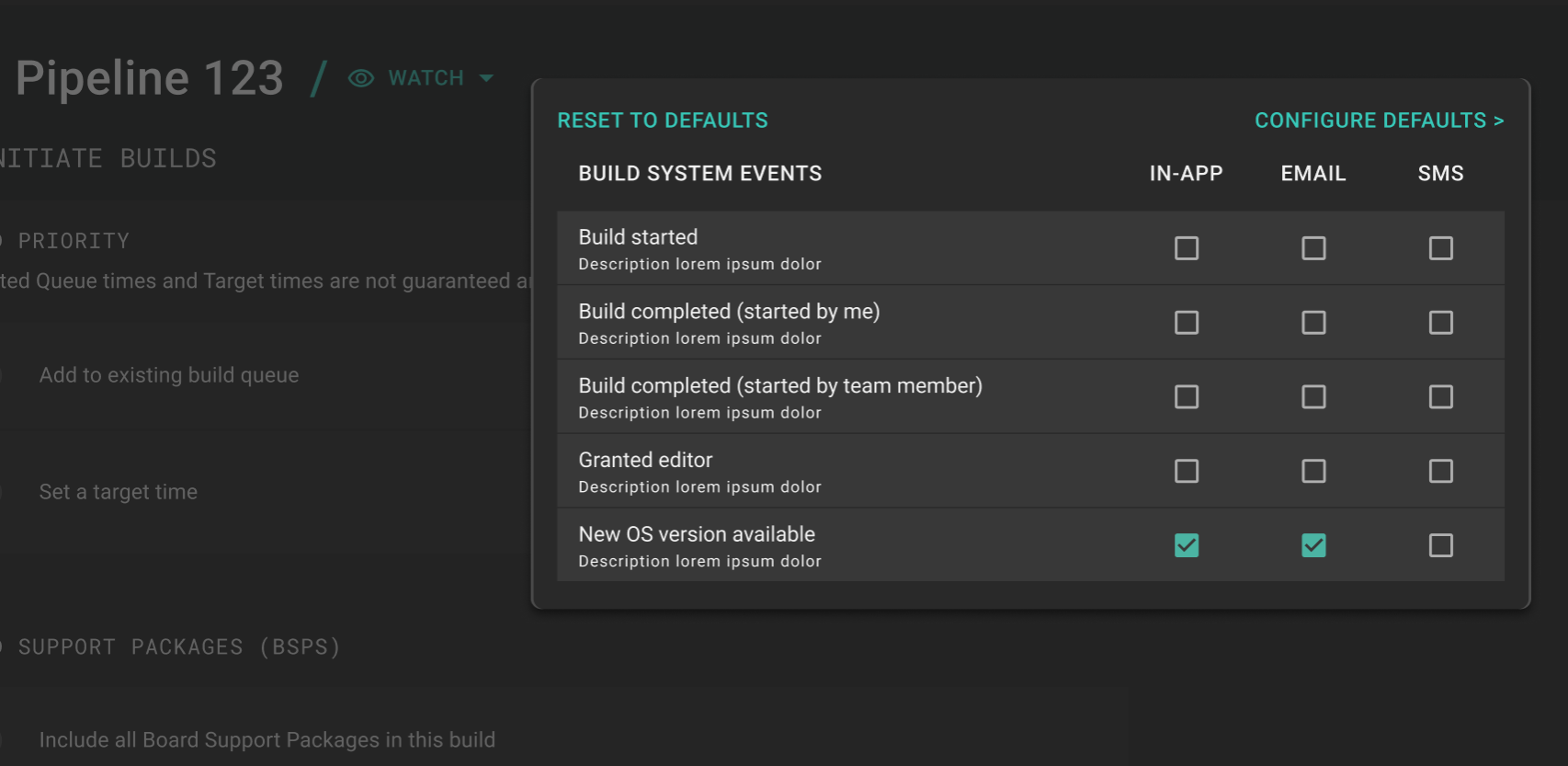
  • Inherited Defaults (Top-Down): I built a "Watch" mechanism with inheritance logic. When a user watches a Project, their delivery preferences (In-app, Email, SMS) automatically cascade to all nested assets — no manual config needed.
  • Granular Overrides (Bottom-Up): Users can break the inheritance at any level — increasing urgency for a critical blocker via SMS or silencing routine "success" notifications.
  • Logic-Based Filtering: The system separates Event Types from Delivery Channels, enabling complex rules like "Mute all test successes at project level, but SMS me on this specific pipeline failure."

Feature Highlights

Watch and subscribe settings

Opt-In / Subscribe Logic

A two-step decision matrix drives delivery: Step 1 — Are they watching this pipeline/project? Step 2 — What severity level is this event set to?

This allows a Manager to monitor holistic project health, while a developer can maintain deep focus by surfacing only high-priority triggers for their specific tasks.
Notification settings

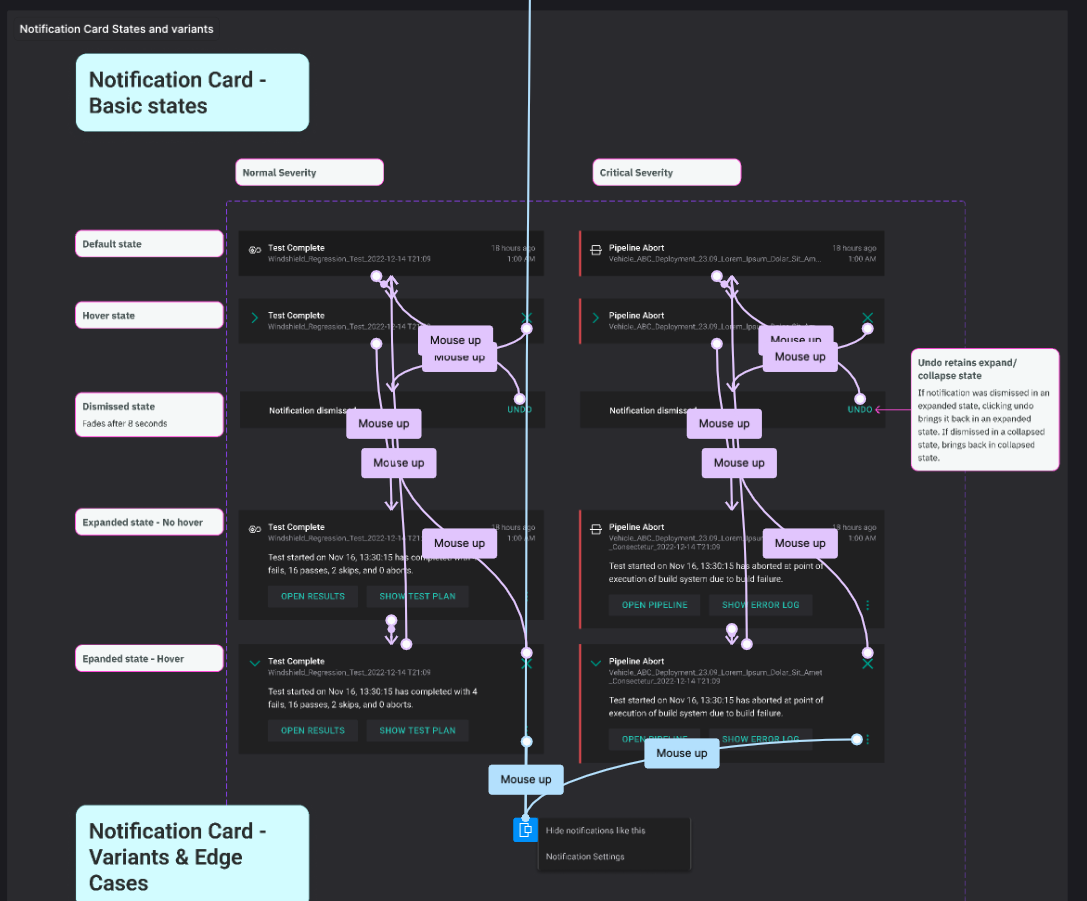
Quick Management

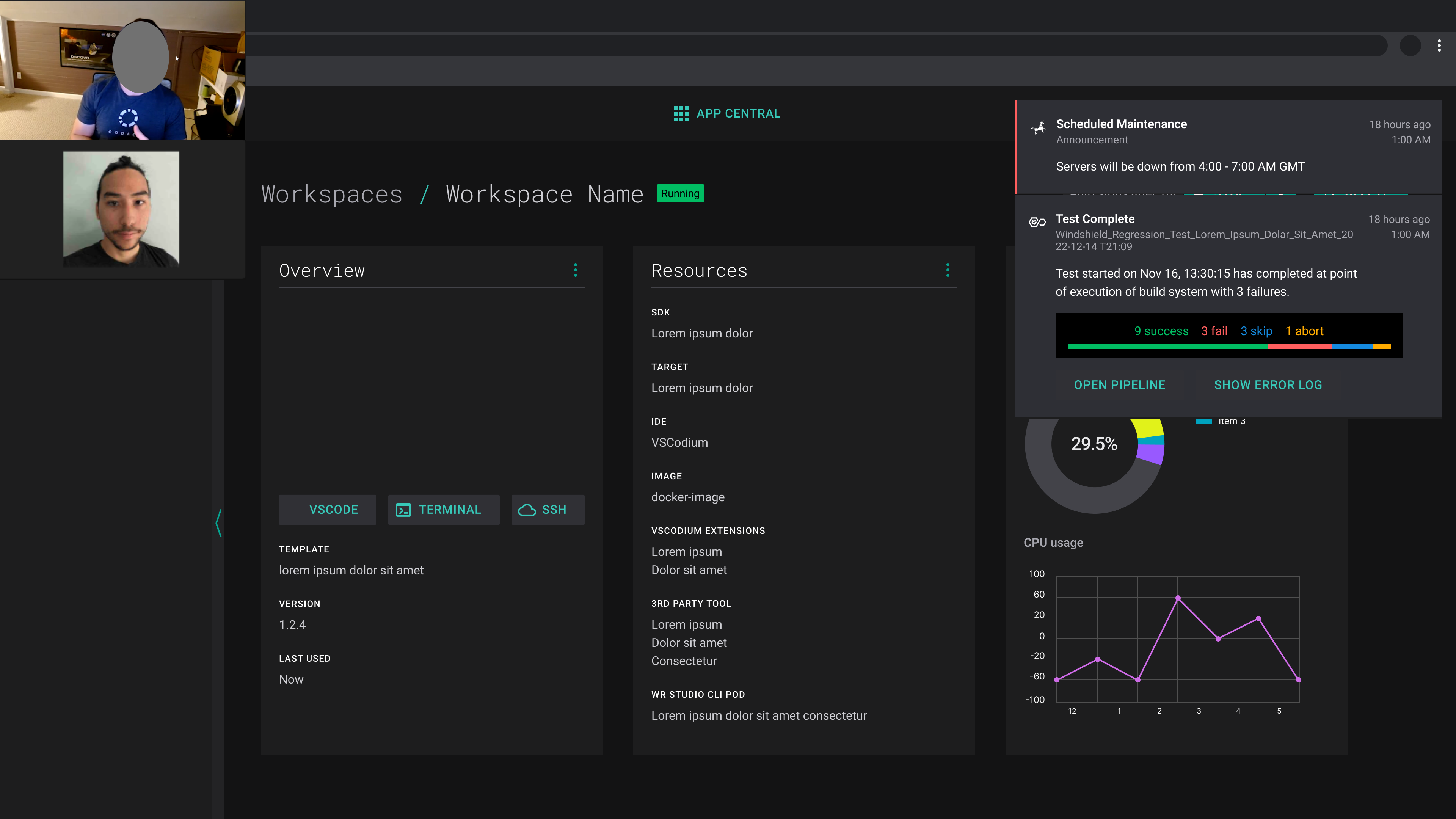
Prototyped a front-end experience that allowed for quickly identifying the source of the notification, and switching it off.

Hid overwhelming event details in an expandable notification card interface.
Validation Testing

  • Met with internal developers: Collaborated with Product Managers to recruit devs who use tools similar to the target product.
  • Led session planning and facilitated user sessions: Created a question set and Wizard of Oz prototype to see if we were solving the right problems.
  • Quantified notification overload: Discovered prioritization and critical event delivery preferences for different personas.
Validation testing session

The Results

Unified notification dashboard
  • Alert Fatigue Reduced: The cascading opt-in system cut irrelevant notifications significantly.
  • Shared Language Across Teams: A unified taxonomy gave Product, Engineering, and Security teams a common reference point, reducing misalignment
Phased rollout strategy

Phased Rollout: A step-wise release strategy allowed teams to adopt the new framework incrementally.

Next Case Study

Jaguar Land Rover: A User Centered Innovation Cycle

Defining a research & development cycle to determine a product roadmap for emerging technologies